
Choose by bottleneck
| Your recurring problem | Start with | Why |
|---|---|---|
| You lose time tracing models, URLs, templates, serializers, or migrations | Django PowerTools | It builds a Django-aware project map and provides direct source navigation. |
You repeatedly type manage.py commands and arguments | Django command runner | It turns discovered commands into searchable run, debug, and profile actions. |
| You have both problems in a growing project | Use both | PowerTools answers “where is it?”; the runner answers “how do I execute it again?” |
| You only run a few familiar commands | Keep the terminal | A shell history or IDE run configuration may already be the smallest sufficient tool. |
Build a Django map before following imports by hand
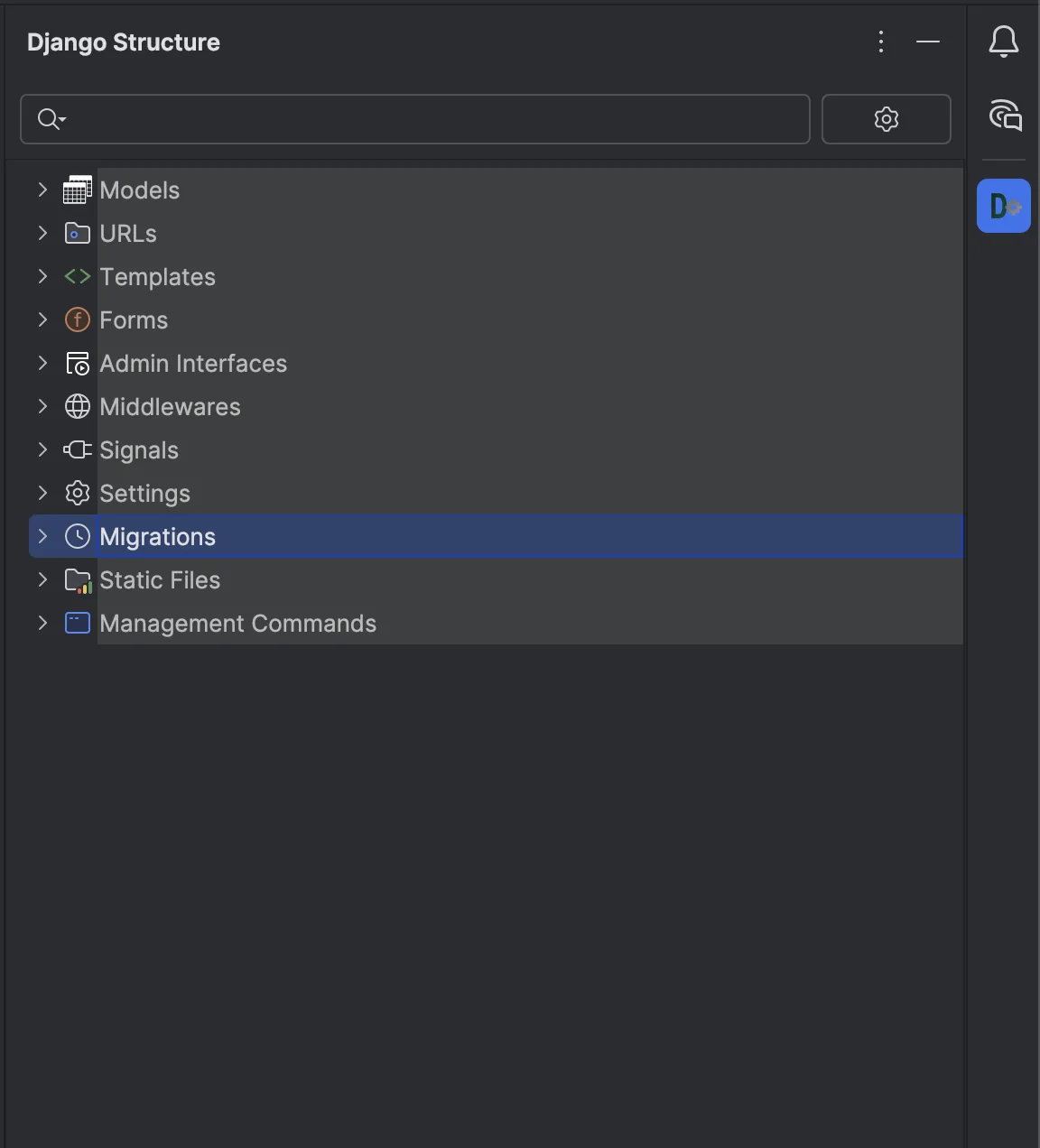
Django projects distribute behavior across Python modules, settings, URL patterns, templates, and framework registration. Django PowerTools adds a dedicated Django Structure Tool Window that analyzes the project in the background and updates its cached view when files change.
The structure groups models and relationships, admin registrations, URL patterns in processing order, templates, forms, Django REST Framework serializers and ViewSets, signals, Celery tasks, settings, migrations, static files, and management commands. Use its context icons and source jumps to move from the framework concept to the declaration that owns it—even while IDE indexing is still running.
A useful navigation loop
- Start with the framework object. Find the model, URL, template, serializer, or migration in the structure tree.
- Jump to the declaration. Read the owning source and follow normal IDE references from there.
- Check the adjacent registrations. For a model change, review admin, serializers, signals, and migrations that can alter the real behavior.
- Confirm at runtime. Run Django checks or targeted tests before treating the static map as proof.
PowerTools is a project-structure navigator, not a runtime call graph, database inspector, deployment monitor, or substitute for tests. Dynamic registrations and unconventional project patterns can require manual confirmation in the actual Django environment.
Turn repeated management commands into searchable IDE actions
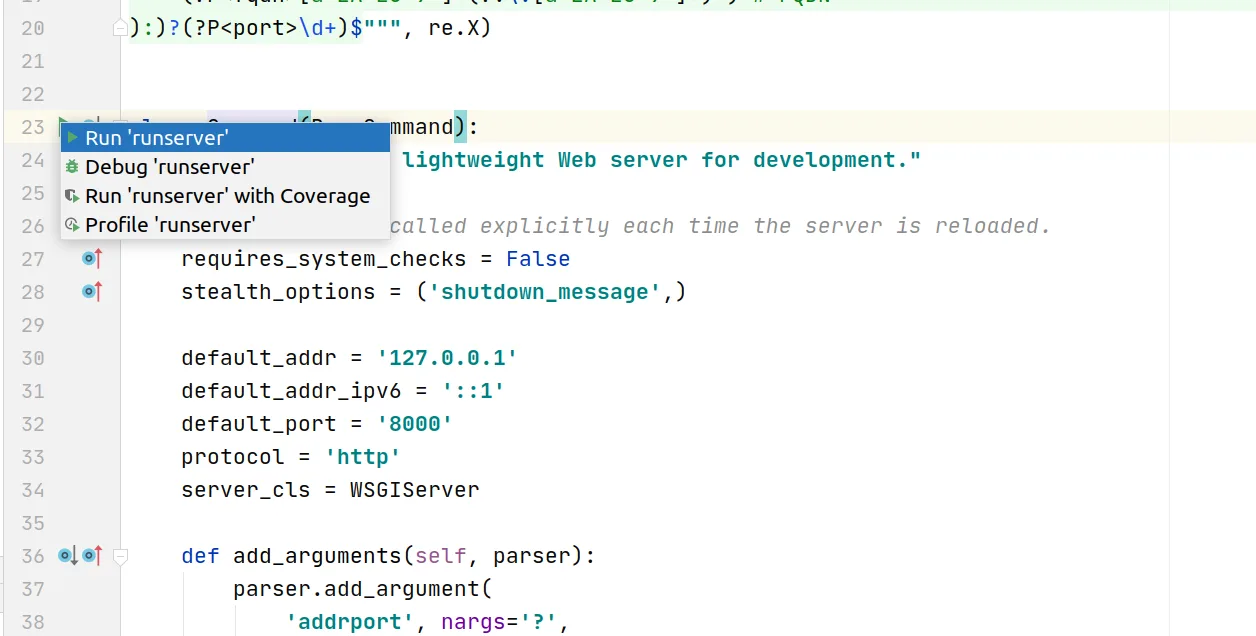
Django command runner discovers built-in, third-party, and custom BaseCommand subclasses. Open its Tool Window or command palette, search the command, add arguments, then run, debug, or profile it without rebuilding the invocation from shell history.
The plugin includes presets for common runserver, test, and migrate flows, remembers recent commands and their last arguments, supports favorites with custom arguments, detects the settings module, and exposes gutter actions near command classes. The default palette shortcut is Ctrl+Shift+D on Windows/Linux or Cmd+Shift+D on macOS.
The runner is not CI, a scheduler, or a deployment system. A command still uses your project interpreter, settings, environment variables, and database, and it retains the command's real side effects. Treat destructive commands with the same care as their terminal form.
Use the shortcut, then verify the Django change
IDE integration removes repeated navigation and typing; it does not reduce the evidence required for a safe migration. A compact model-change runbook looks like this:
- 1Inspect the affected structure
Find the model and review related serializers, admin, signals, and existing migrations.
- 2Generate or check migrations
Run
makemigrations --checkin CI-style checks, or runmakemigrationsintentionally when creating a change. - 3Read the generated migration
Confirm operations, dependencies, defaults, reversibility, and expected data impact before applying it.
- 4Run in the correct environment
Verify the selected interpreter, settings module, environment, and database before
migrate. - 5Execute targeted checks
Run Django system checks and the smallest relevant test set, then let CI repeat the repository's full policy.
Free, trial, and pricing reality
Both plugins are freemium and can be installed free. JetBrains Marketplace currently lists a 7-day Pro trial for each complete feature set. For US individual customers, Django PowerTools is $2/month or $20/year, while Django command runner is $1/month or $10/year.
The exact Free/Pro gating is shown by the installed plugin and Marketplace at evaluation time; this guide does not assign undocumented features to a tier. Regional, organizational, and discounted pricing can differ from the US individual prices above.
Install the tool closest to today's Django bottleneck
Start with project navigation if you are repeatedly reconstructing the framework structure. Start with command execution if the same manage.py invocations interrupt your editing loop. Trial both only when those two delays occur together.